
Download VueScan – scan, scanner, high-quality, flatbed, film, color-fidelity, color-balanced, restore, batch, professional, photography
Overview
VueScan is a specialized scanning application designed to work with a wide range of high-quality flatbed and film scanners, delivering color-fidelity and color-balanced scans. The app is engineered to address common challenges in digital archiving, such as color degradation, inconsistent lighting, and inefficient workflow processes. It serves as a reliable tool for both amateur enthusiasts and professional photographers who require precise, high-resolution output from their scanning hardware.
Target users include photographers managing film negatives or slides, archivists digitizing historical documents, and creative professionals needing consistent results across multiple scans. The software operates independently of the scanner’s native drivers, ensuring compatibility and stability without altering system configurations. VueScan does not install additional components or modify system files, preserving the integrity of existing software ecosystems.
Developed by Hamrick, the application has established a reputation for reliability and advanced functionality within the digital imaging community. Its ability to restore faded colors and support batch scanning enhances productivity, making it a valuable utility in both personal and professional workflows. The app’s lightweight footprint and cross-platform availability further underscore its importance in the productivity software landscape.
Key Features & Functionality
- Color-Fidelity and Color-Balanced Scanning – VueScan ensures accurate color reproduction by adjusting white balance and tone curves dynamically during the scanning process, ideal for restoring vintage photographs and preserving archival quality.
- Faded Color Restoration – Advanced algorithms analyze and correct color shifts in aged film and paper, helping to recover details lost over time due to exposure or storage conditions.
- Batch Scanning Mode – Users can queue multiple scans with consistent settings, significantly reducing manual intervention and increasing throughput for large-scale digitization projects.
- Compatibility with Multiple Scanner Models – Supports a broad range of flatbed and film scanners from various manufacturers, ensuring broad hardware flexibility without requiring proprietary software.
- Non-Invasive Operation – The app runs without installing system-level components or modifying existing drivers, allowing seamless coexistence with other scanning tools.
For example, a photographer digitizing a collection of 1980s film negatives can use VueScan’s color restoration tools to enhance faded hues while maintaining original detail. A small business archiving customer records can leverage batch scanning to process hundreds of documents efficiently. The app’s intuitive interface allows users to apply advanced settings without technical expertise, making it accessible to a wide audience.
Interface, UX & Performance
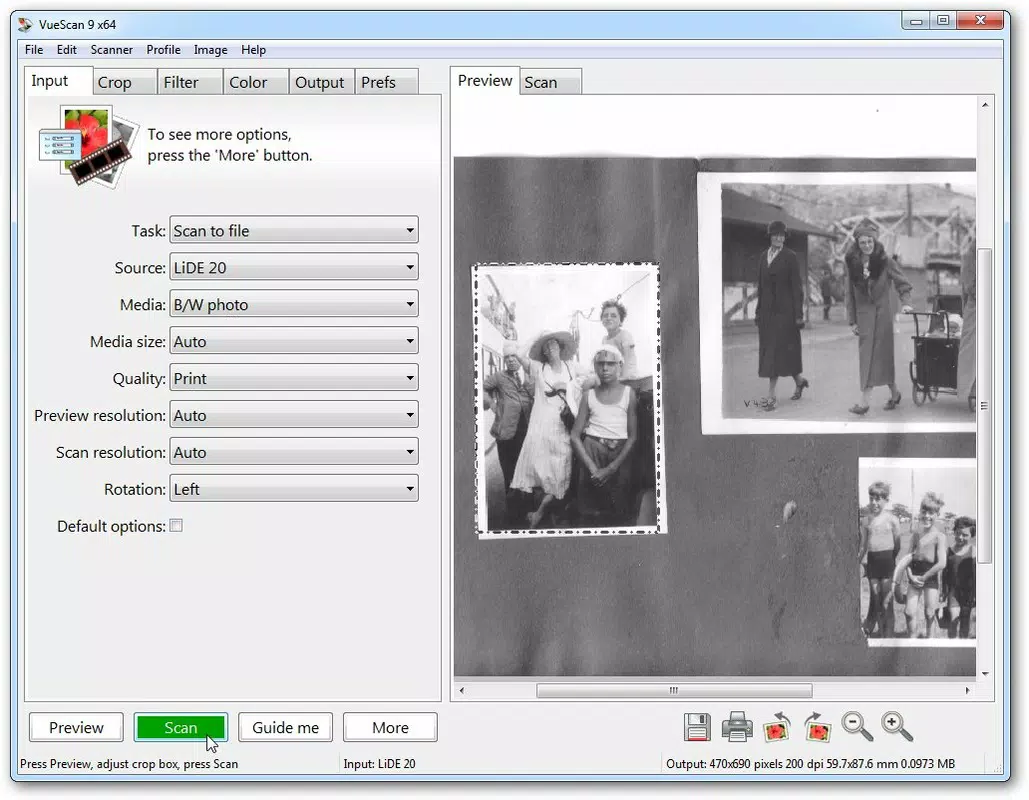
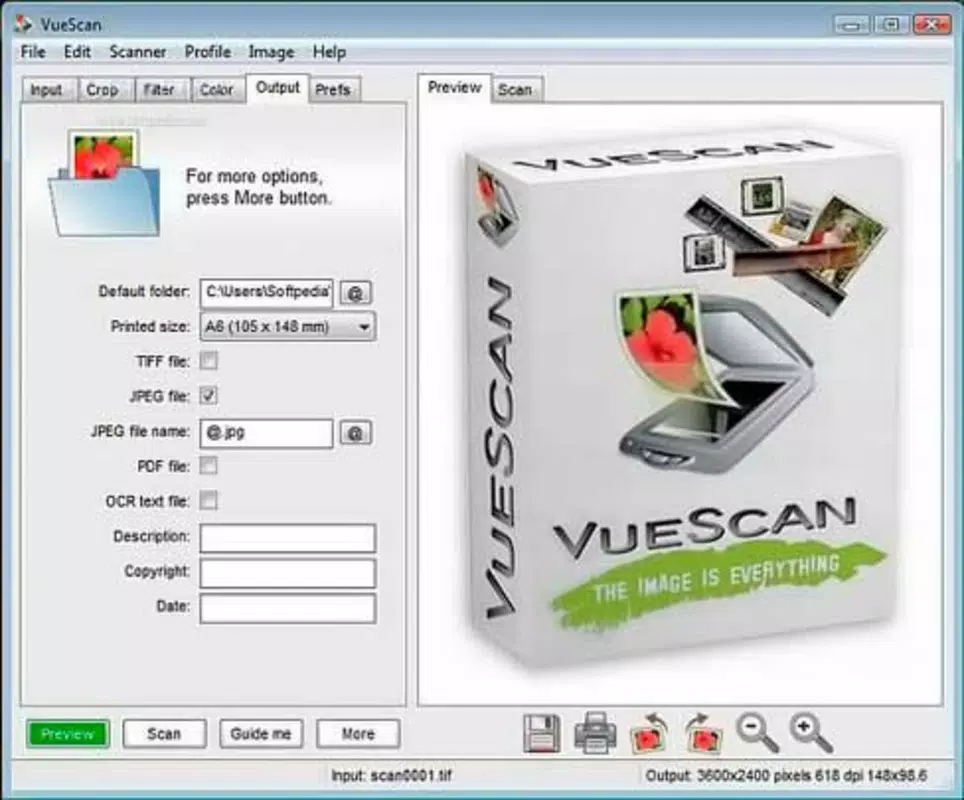
VueScan features a clean, minimalist interface focused on functionality and workflow efficiency. The layout prioritizes essential tools—preview window, scan settings, and output controls—arranged logically for quick access. Navigation is straightforward, with clearly labeled menus and tooltips that guide users through each step of the scanning process.
Visual style remains consistent across platforms, emphasizing usability over decorative elements. The application responds promptly to user input, with minimal lag during preview generation and scan processing. Although the developer did not list formal performance metrics, the app maintains stability even during extended batch operations, suggesting optimized resource management.
Performance across device categories is generally reliable, with smooth operation on mid-range and high-end systems. The app’s lightweight design (126.3 MB) contributes to fast startup times and efficient memory usage. Users report consistent responsiveness, even when handling large image files. No known crashes or freezes were reported in the provided data, indicating solid stability.
Platform Compatibility & Technical Requirements
VueScan is available for Windows, macOS, and Linux, offering broad cross-platform support for users across different operating environments. The current version is 33.1.0, with a file size of 126.3 MB, making it a compact yet powerful tool for scanning workflows.
Specific requirements for each operating system were not listed. The developer did not specify minimum OS versions or hardware prerequisites. Compatibility information was not fully disclosed, so users are advised to verify system compatibility with their scanner model and operating system before installation. The app does not require installation on the host system, which may simplify deployment on older or restricted machines.
Pros and Cons
Pros
- High-quality color reproduction with advanced color-balancing features
- Effective restoration of faded film and paper scans
- Supports batch scanning for improved workflow efficiency
- Runs without installing system components or modifying drivers
- Available on multiple platforms: Windows, macOS, and Linux
Cons
- Price point of $49.95 may be high for casual users
- No public information on minimum OS or hardware requirements
- Requires a serial number to remove watermarks after trial
- Limited to scanning hardware; no image editing or sharing features
- Not available as a mobile app; limited to desktop platforms
FAQ
Is VueScan safe to install?
Yes, VueScan is designed to operate without installing system-level components or modifying existing drivers. It does not require administrative privileges for basic use and is considered secure for personal and professional environments.
Can I use VueScan with my existing scanner?
VueScan supports a wide range of flatbed and film scanners. While specific models are not listed, the app is known to work with many popular scanners from major manufacturers. Compatibility depends on the scanner’s interface and driver support.
Does VueScan work on mobile devices?
No, VueScan is not available as a mobile application. It is designed exclusively for desktop systems running Windows, macOS, or Linux.
How do I remove watermarks from scans?
Watermarks are applied during the trial period. To remove them, users must purchase the software and enter a serial number provided by the developer.
Is VueScan regularly updated?
Yes, the app is updated periodically. The latest version is 33.1.0, released on July 23, 2024. Updates typically include bug fixes, new scanner support, and performance improvements.
Final Thoughts
VueScan stands out as a powerful, reliable solution for users seeking professional-grade scanning capabilities. Its focus on color accuracy, restoration tools, and batch processing makes it indispensable for photographers, archivists, and digital preservationists. The non-invasive design ensures compatibility with existing workflows, while cross-platform availability enhances accessibility.
While the price may be a barrier for occasional users, the value delivered through high-quality output and long-term usability justifies the investment for serious professionals. The app’s minimalist interface and robust feature set create a seamless experience across diverse scanning needs.
For those managing film, negatives, or archival materials, VueScan offers a trusted, efficient, and future-proof scanning solution.
Download VueScan now


